How to resolve BlompGo 2.5.2 not mounting to Z (or any other) drive

Technology can be tricky, but we're here to help. In Technical Chat, you'll find a team of Blomp experts and a community of helpful users ready to tackle any challenges you might encounter. No question is too big or too small – we're committed to making your Blomp experience as smooth as possible.
Post Reply
wwenet
Posts: 3
Joined: Mon Jan 12, 2026 2:09 pm
Contact:

How to resolve BlompGo 2.5.2 not mounting to Z (or any other) drive

Post by wwenet » Wed Mar 04, 2026 5:12 pm

Hello everyone,

After many weeks of frustration, I have finally found a solution for this issue that seems to have plagued many of us using BlombGo 2.5.2 on Windows 10.

If your mounted drive disappears, or if you attempt to log in to BlompGo and map to any drive letter, and it doesn't appear in Windows Explorer (or accessible by any programs), follow these steps:

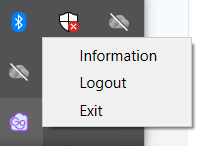
Start BlompGo, and wait for it to say BlompGo is Ready. In your icon tray, right click on the BlompGo icon, and click Logout.
Image

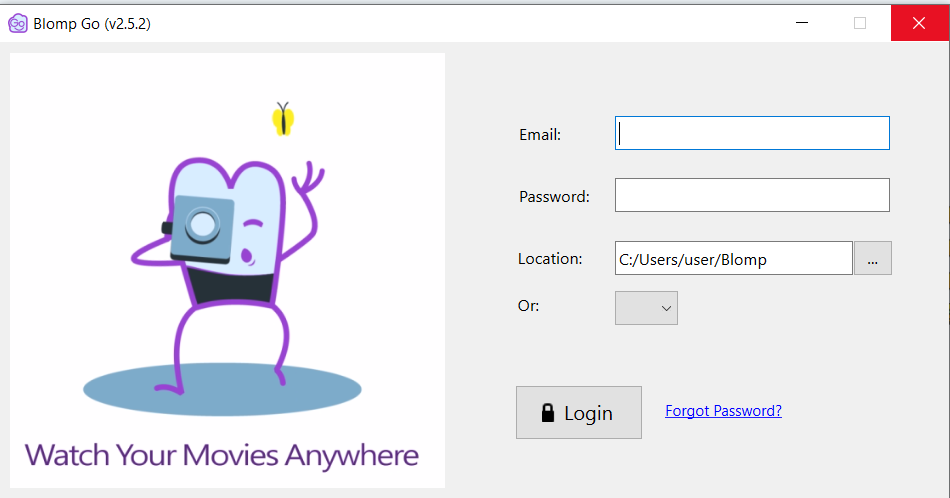
Then close BlompGo using the X icon in the upper right hand corner.
Image

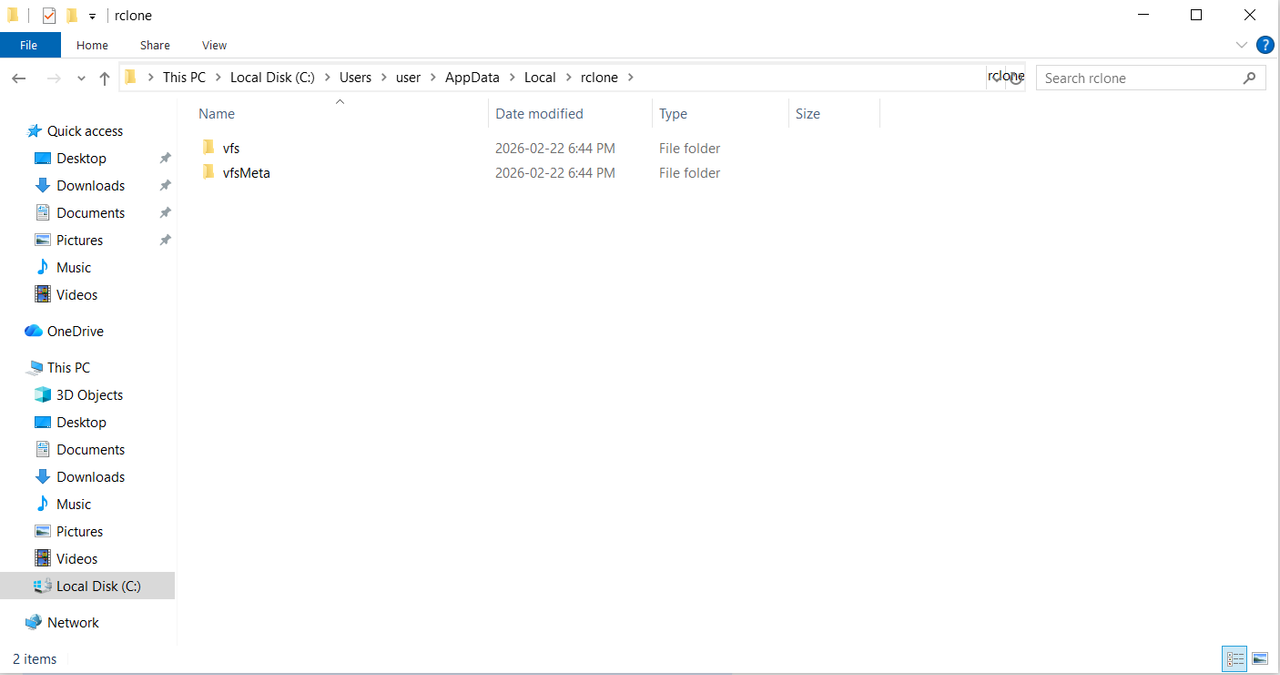
From there, open Windows Explorer, and navigate to the following:

/Users/[current user]/AppData/Local/rclone

It should look something like this:
Image

In that folder, delete both the vfs and vfsMeta folders (I use Shift-Del to avoid it going into my recycle bin)..

Once you've done that and it's fully completed, you can close Windows Explorer, and re-open BlompGo. It will prompt you to log in again, and select which Drive Letter you'd like to assign to it.

Voila! BlompGo is functioning as a drive letter again.

I hope this is helpful for those who have had this frustration like I have!
Status :

BlompSupport
Posts: 346
Joined: Wed Feb 13, 2019 4:20 pm
Contact:

Re: How to resolve BlompGo 2.5.2 not mounting to Z (or any other) drive

Post by BlompSupport » Mon Mar 09, 2026 3:23 pm

Hello wwenet,

Thank you very much for taking the time to share your solution with the community. We truly appreciate the effort you put into documenting the steps and helping others who might run into a similar BlompGo mounting issue on Windows.

Our team has just become aware of this issue, since neither other customers nor we have encountered any similar issues. Either way, we truly value the way you approached it; calmly, constructively, and with the intention of helping the community. That kind of mindset is exactly what makes communities like this stronger.

Your willingness to share your experience and help others is a great example of what being part of the Blomp community is all about. Because of that, we’d like to say thank you by adding one free month of storage to your account. No action is needed from your side. This is simply a small token of our appreciation.

Thanks again for being such a thoughtful and supportive member of the Blomp community. We’re grateful to have you here.

Blomp Support
Status :
- Blomp support

Check out our video! Trust me, you're going to blomping love it. https://www.youtube.com/watch?v=klnAFs3H3bw&t=70s

Post Reply

Who is online

Users browsing this forum: No registered users and 1 guest